Ultimate Tips for Using Disk Lock to Protect Your Data Effectively
In today's digital age, data security is paramount. Protecting sensitive information should be a top priority for everyone. Disk Lock emerges as a reliable solution to safeguard your data. This tool can prevent unauthorized access effectively.
Having strong protection methods is essential. Disk Lock offers users the ability to lock specific files or entire drives. Imagine the peace of mind knowing your private files are secure. However, can we truly rely on this tool alone? Users must understand its limitations and potential weaknesses.
The process of using Disk Lock is not always straightforward. It requires careful setup and regular updates. Users may encounter difficulties along the way. Yet, mastering this tool can significantly enhance data protection. Balancing security and usability is crucial. By addressing these challenges, you can maximize the effectiveness of Disk Lock and ensure your information remains secure.
Importance of Data Protection: Statistics on Data Breaches and Loss
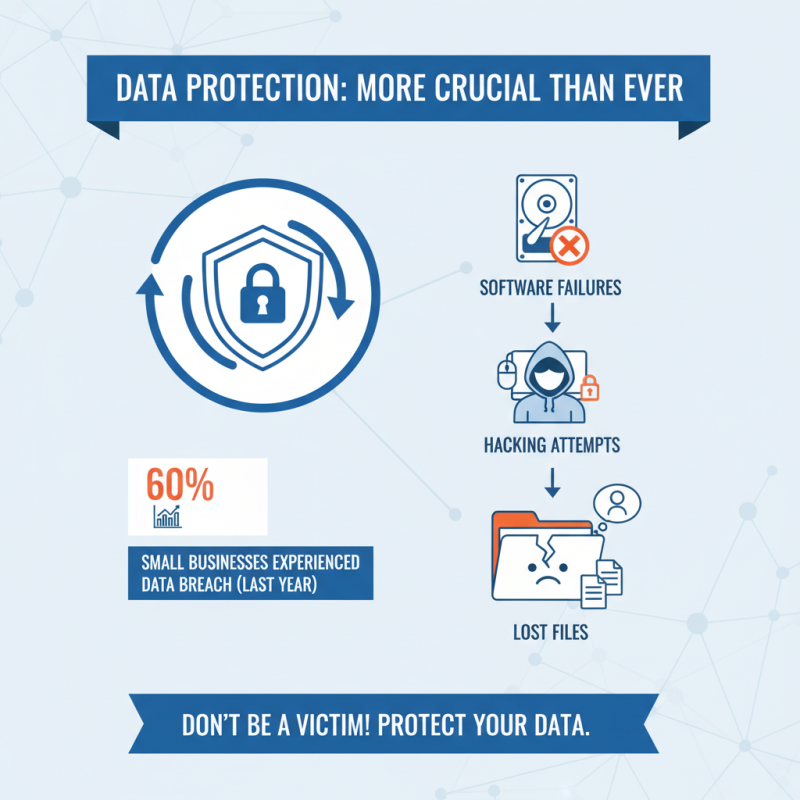
Data protection is more crucial than ever. Recent statistics reveal alarming truths. In the last year alone, approximately 60% of small businesses experienced a data breach. Data loss can happen due to software failures, hacking attempts, or even human error. Imagine losing critical files due to an unexpected incident. The impact can be devastating.
Furthermore, research shows that nearly 70% of data breaches go undetected for months. This delay can lead to further losses and complications. A single breach can compromise personal information, leading to identity theft. Many organizations underestimate the importance of having a robust data protection strategy. Some still rely on outdated methods. It's time for a wake-up call.
Investing in data protection solutions is essential. Organizations must evaluate their current practices critically. Many fail to recognize vulnerabilities in their systems. Not all approaches work universally. Finding the right fit for your needs is key. Protecting data is not just a technological issue; it’s a business priority. The stakes are high, and the consequences of negligence are real.
Understanding Disk Lock: What It Is and How It Works
Disk Lock is a security feature that helps protect your data. It acts as a barrier to unauthorized access. When enabled, it locks your hard drive, preventing anyone from viewing or altering your files. This can be crucial when handling sensitive information.
The way Disk Lock works is straightforward. Once activated, you need a specific password or key to unlock your drive. Without it, your data remains secure. This means that a lost or stolen device does not automatically mean lost data. However, users must remember their access credentials. Forgetting passwords can lead to a headache. It’s essential to store them safely.
Some might find the interface confusing at first. Understanding the settings and features takes time. It’s not always intuitive for everyone. Users may need to experiment to find what suits them best. This may lead to frustration during the initial setup. However, once familiar, the peace of mind it provides is worth the effort.
Key Features of Disk Lock Software for Enhanced Security
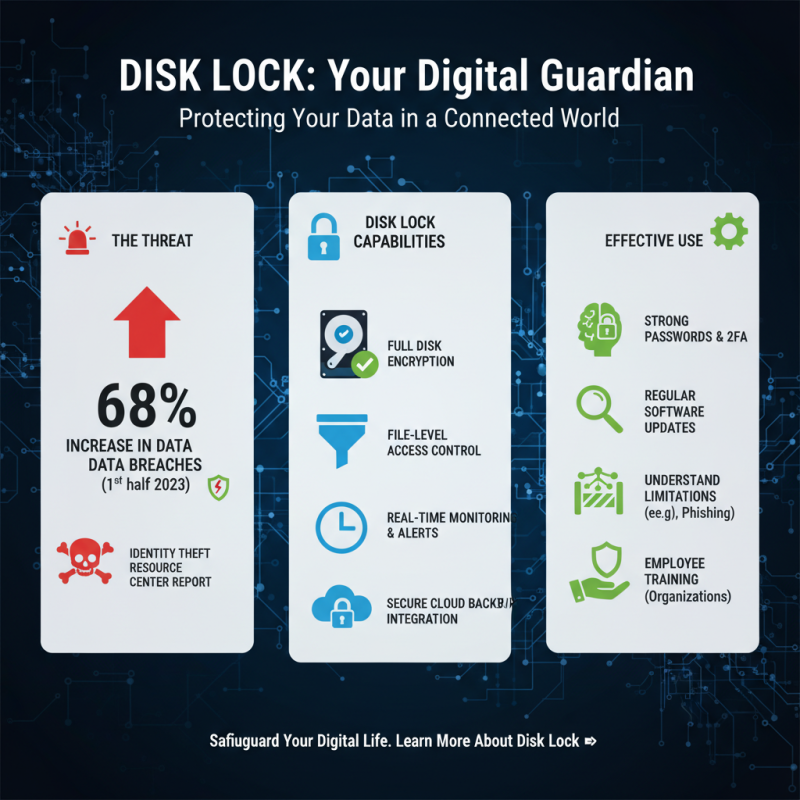
Disk Lock software offers several key features that significantly enhance data security. One of the most notable aspects is its ability to encrypt data stored on a disk. According to a study by the International Data Corporation, encryption can reduce the risk of data breaches by over 80%. This is essential for both personal users and businesses handling sensitive information. By encrypting files, users can ensure that even if data is accessed, it remains unreadable without the proper decryption keys.
Another impressive feature is the real-time monitoring of file access. This allows users to receive alerts when unauthorized attempts occur. Many breaches happen because of unnoticed access. A report by the Ponemon Institute states that the average time to identify a data breach is over 200 days. With monitoring tools in place, organizations can react swiftly, potentially saving millions.
For effective use of Disk Lock, consider these tips: regularly update your security protocols for better data protection. Also, assess which files are most sensitive. Maintain a consistent review schedule of your disk lock settings. Just remember, no security measure is foolproof. Regular testing and updates to your system are crucial. Being vigilant helps in identifying weaknesses before they become critical issues.
Step-by-Step Guide to Setting Up Disk Lock on Your System
To set up Disk Lock effectively, begin with a clear understanding of your data needs. The majority of data breaches, approximately 60%, happen due to unauthorized access. Establishing Disk Lock can greatly reduce this risk. Start by identifying the files that require protection. This step is crucial. Without prioritizing your data, your efforts may be wasted.
Next, install the Disk Lock software on your system. Follow the prompts and choose the files or folders you wish to protect. Ensure that you create a strong password during setup, as weak passwords often lead to vulnerabilities. A recent report by cybersecurity experts revealed that 75% of data breaches result from weak password management. After installation, regularly review and update your settings to ensure continued protection.
Finally, test the security frequently. Simulate unauthorized access to check if your setup is adequate. It's not uncommon to overlook minor details that can lead to significant risks. Data loss is a common issue, affecting 20% of businesses each year. Staying proactive can make a substantial difference in safeguarding your most sensitive information.
Ultimate Tips for Using Disk Lock to Protect Your Data Effectively
| Step |
Description |
Estimated Time |
Tips |
| 1 |
Download and Install Disk Lock software |
10 minutes |
Ensure to download from a reliable source. |
| 2 |
Launch the application |
2 minutes |
Make sure to have administrative rights. |
| 3 |
Select the drives to lock |
5 minutes |
Choose drives with sensitive data only. |
| 4 |
Set a strong password |
5 minutes |
Use a mix of letters, numbers, and symbols. |
| 5 |
Enable Disk Lock protection |
2 minutes |
Double-check your settings before confirming. |
| 6 |
In case of forgotten password |
Time varies |
Keep your recovery options updated. |
Best Practices for Maintaining Data Security with Disk Lock
Data security is a critical concern for individuals and organizations alike. A recent report by the Identity Theft Resource Center highlights that data breaches increased by 68% in the first half of 2023. This alarming trend underscores the importance of tools like Disk Lock for safeguarding data. Effectively using Disk Lock requires understanding its capabilities and limitations.
To maintain data security with Disk Lock, start by setting strong passwords. Research indicates that 81% of data breaches involve weak or stolen passwords. A complex password can significantly reduce the risk of unauthorized access. Additionally, regular updates to the locking software are crucial. Many vulnerabilities are patched in updates that you might miss, putting your data at risk.
Moreover, be aware of common pitfalls. Some users mistakenly disable security features for convenience. This habit can expose sensitive information. Data shows that 43% of cyberattacks target small businesses, often leading to devastating losses. Balancing ease of access with security is vital. Using Disk Lock mindfully can make a significant difference, but it requires ongoing vigilance and a commitment to best practices.